Family
Add and switch between children
Keep a separate log for each child and switch between them from the top of the screen.
Premium feature
The free plan covers one child. One Premium subscription covers every child in the family.
Steps
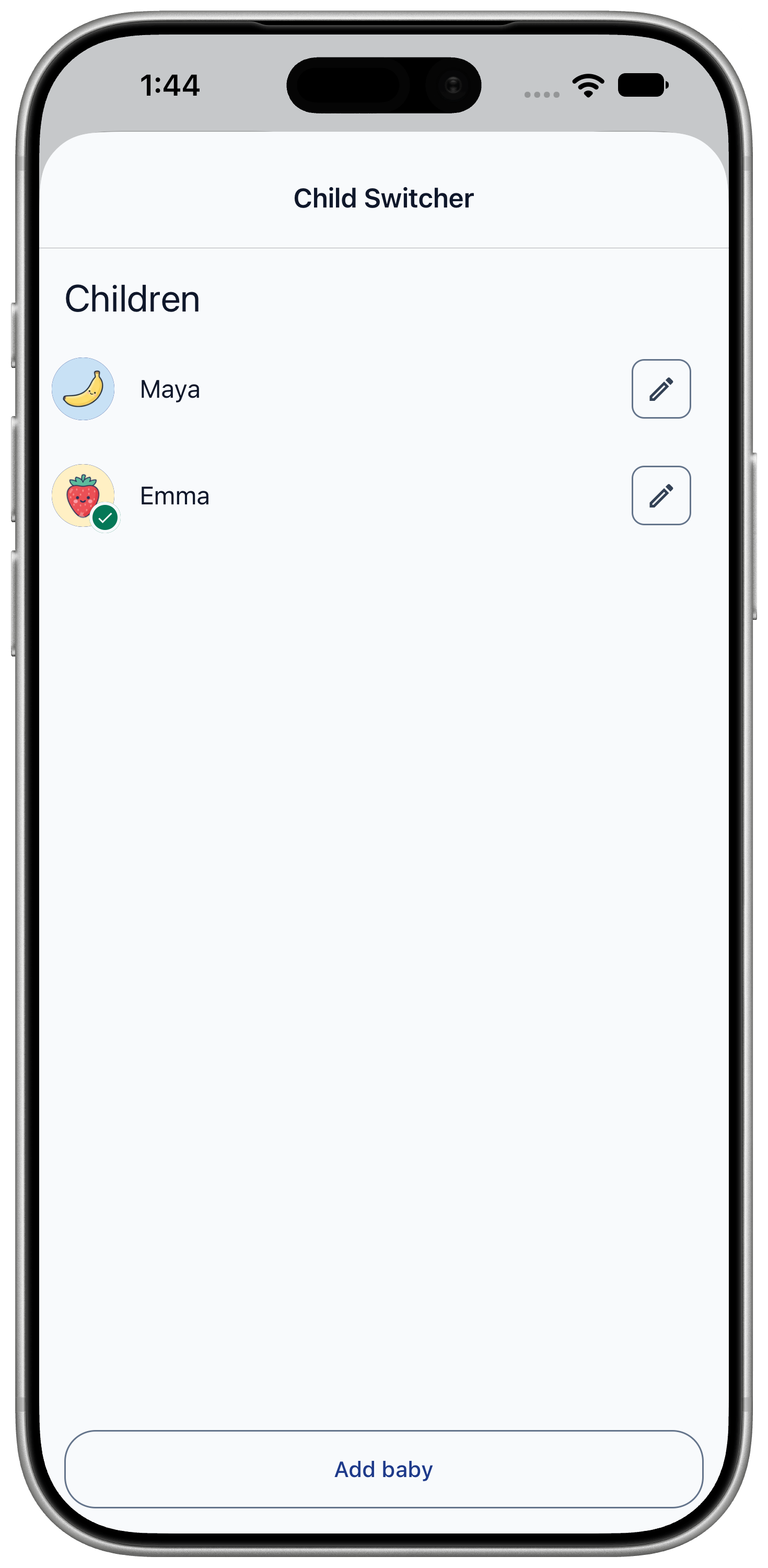
- Tap your child's avatar at the top of the Timeline. The "Children" list opens.
- Tap "Add baby".
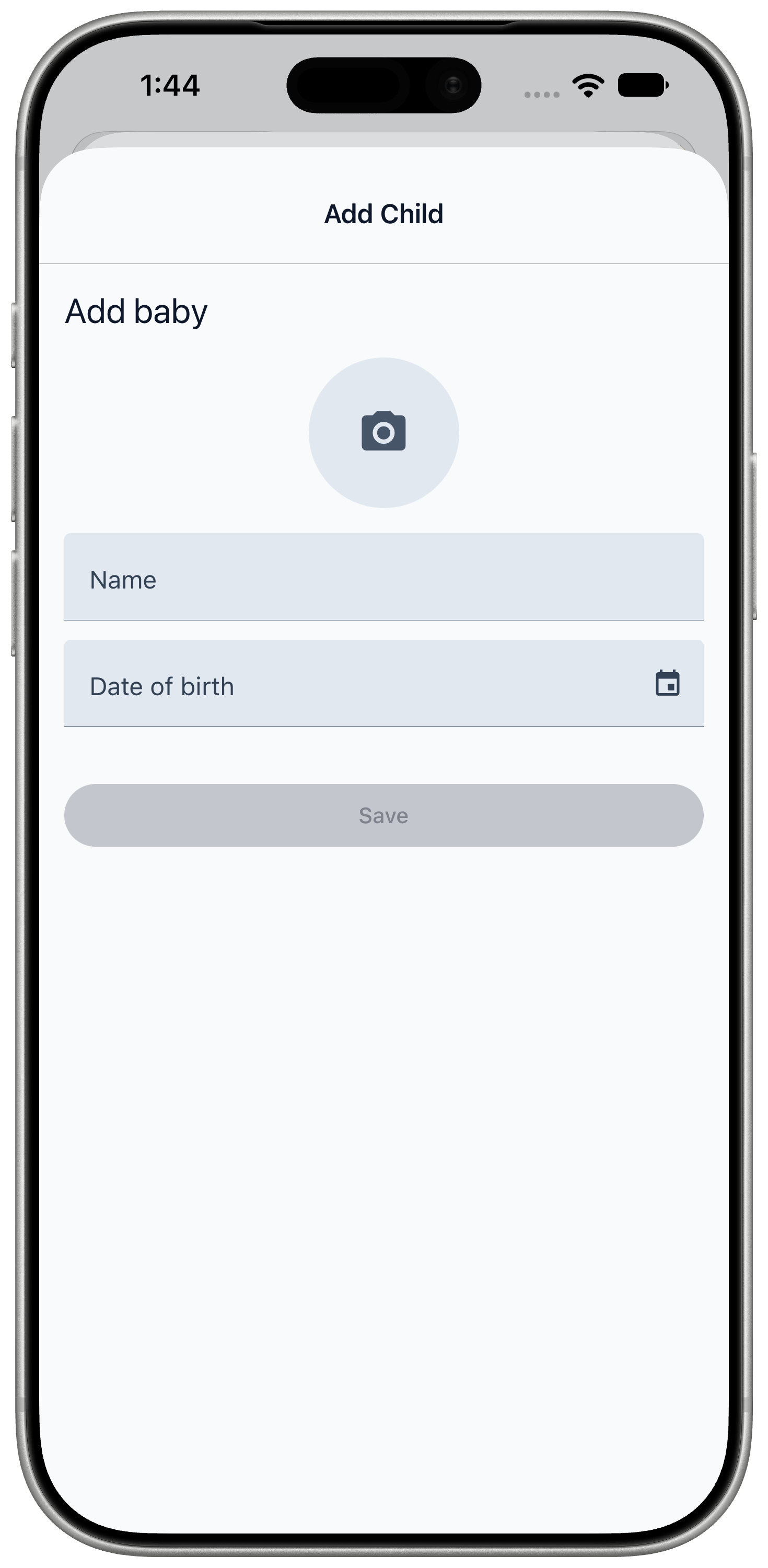
- Enter the "Baby's name" and "Date of birth". Optionally tap "Add photo".
- Tap "Save".
- To switch children, tap the avatar again and choose a child.
Each child has their own Timeline, Schedule and reports.
If Premium ends
Nothing is deleted when a subscription ends.
- Your first child stays fully editable.
- Other children become read-only until you renew.
- "Delete profile" on a child's profile deletes that child's data for good.