Allergen schedule
Track an allergen introduction window
Start a 14-day window for each allergen you introduce, then mark it cleared or mark a reaction.
2 allergens free, Premium for all
You can track 2 allergens on the free plan. Premium tracks every allergen on your list.
Steps
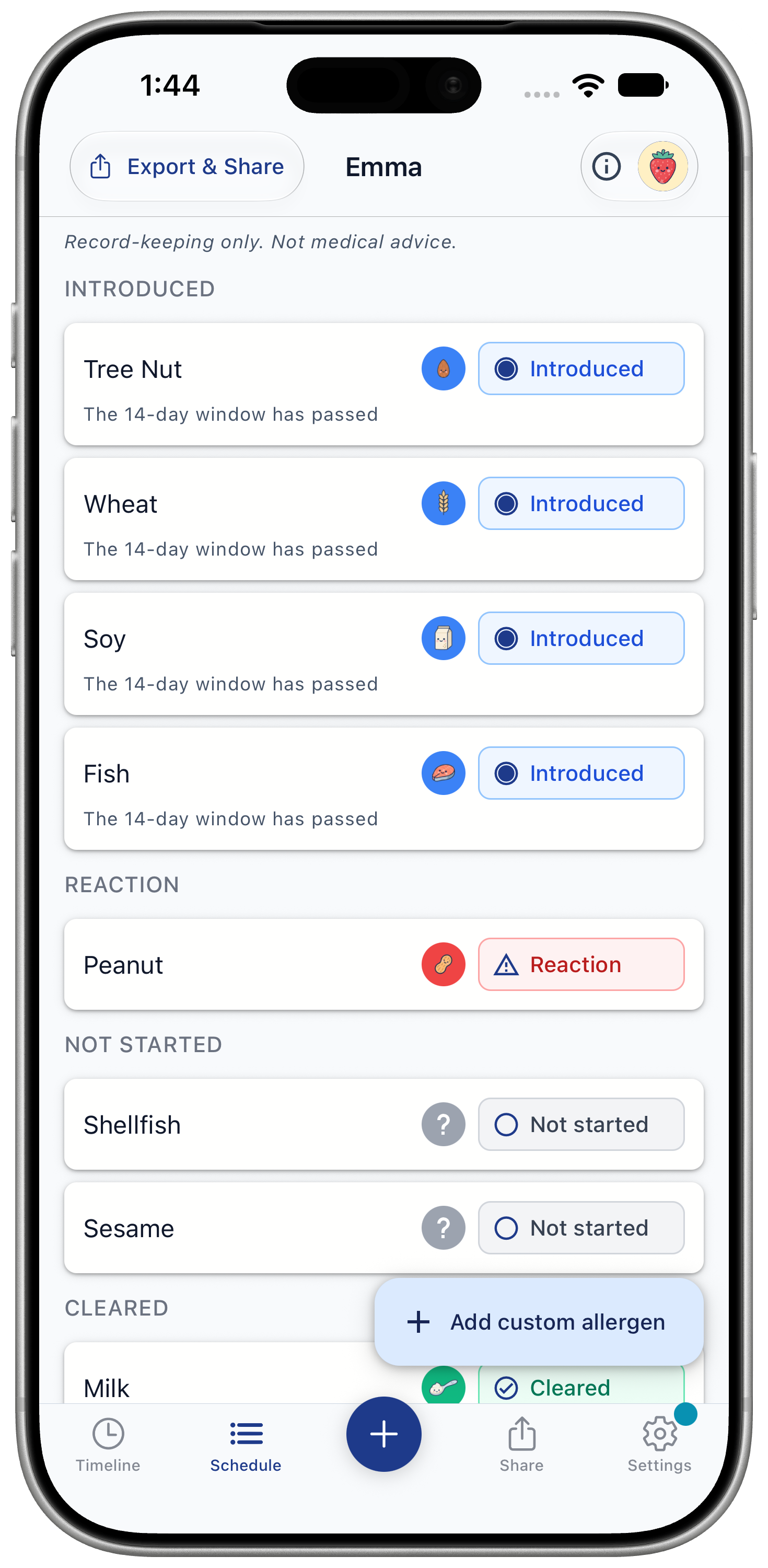
- Open the Schedule tab. The first time, read "How the Schedule works" and tap "Got it".
- Tap the allergen you are introducing.
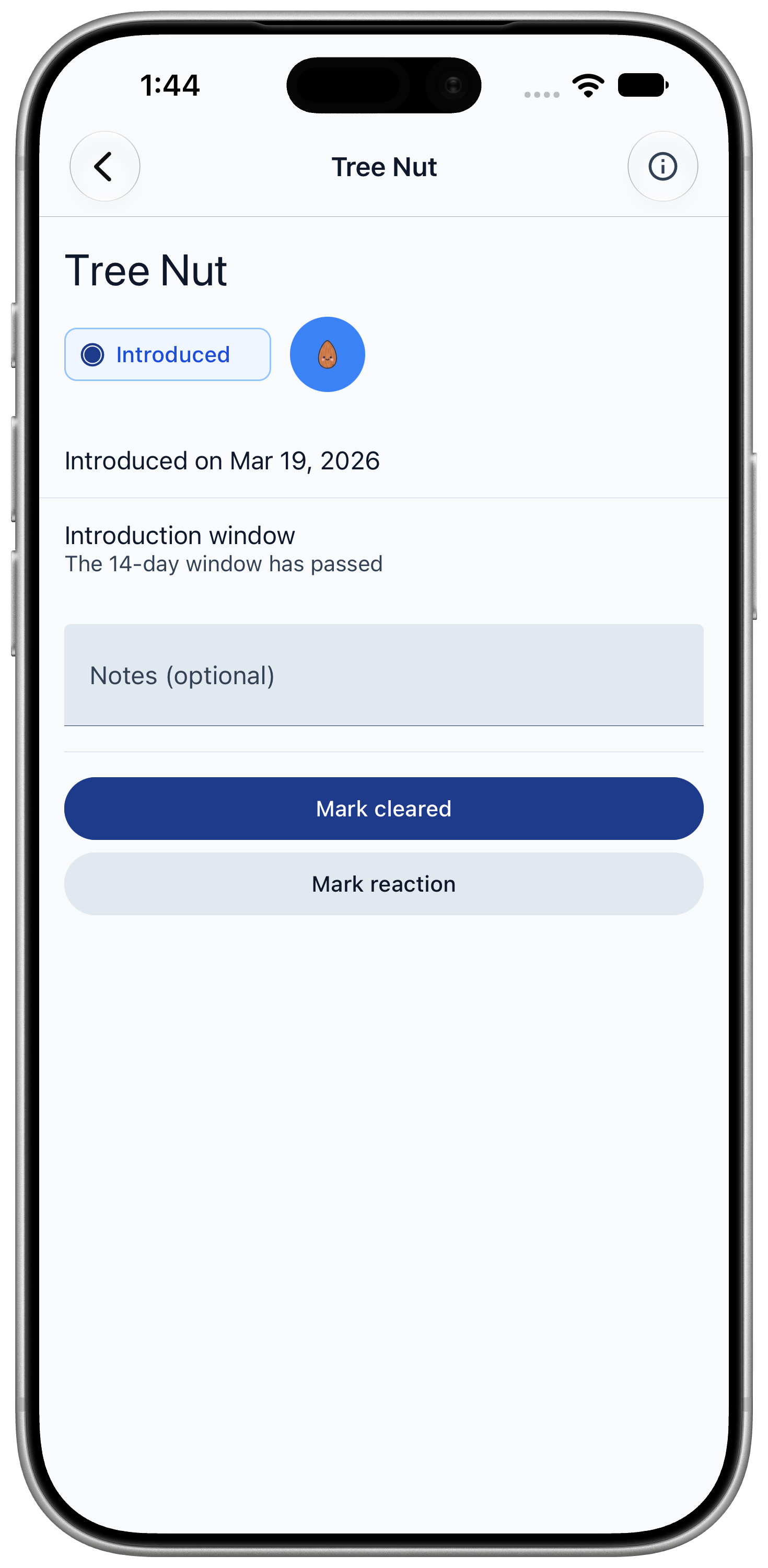
- Tap "Mark introduced". A 14-day window starts today.
- Keep logging meals as usual. Meals with that allergen show under "Logged feeds".
- When the window ends, tap "Mark cleared" if your baby tolerated it. If there was a reaction, tap "Mark reaction" at any point.
Marking an allergen cleared or as a reaction can't be undone, so check before you confirm.
Good to know
How windows start, and what the reminders do.
- With "Allergen window reminders" on in Settings, you get a reminder at 9 am on days 1, 3, 7 and 14 of a window you started with "Mark introduced".
- Logging a food that contains an allergen also starts its window. Windows started this way don't send reminders.
- Tap "Add custom allergen" to track a food that isn't on your list.
- The app records what you introduce. It doesn't tell you when or in what order to introduce allergens.