Your data
Back up your log and move to a new phone
Export an encrypted backup file and restore it on a new or reset phone.
Standard feature
Backups are free. Your log lives only on your phone, so a backup file is the only way to get it back after a lost phone or a reinstall.
Steps
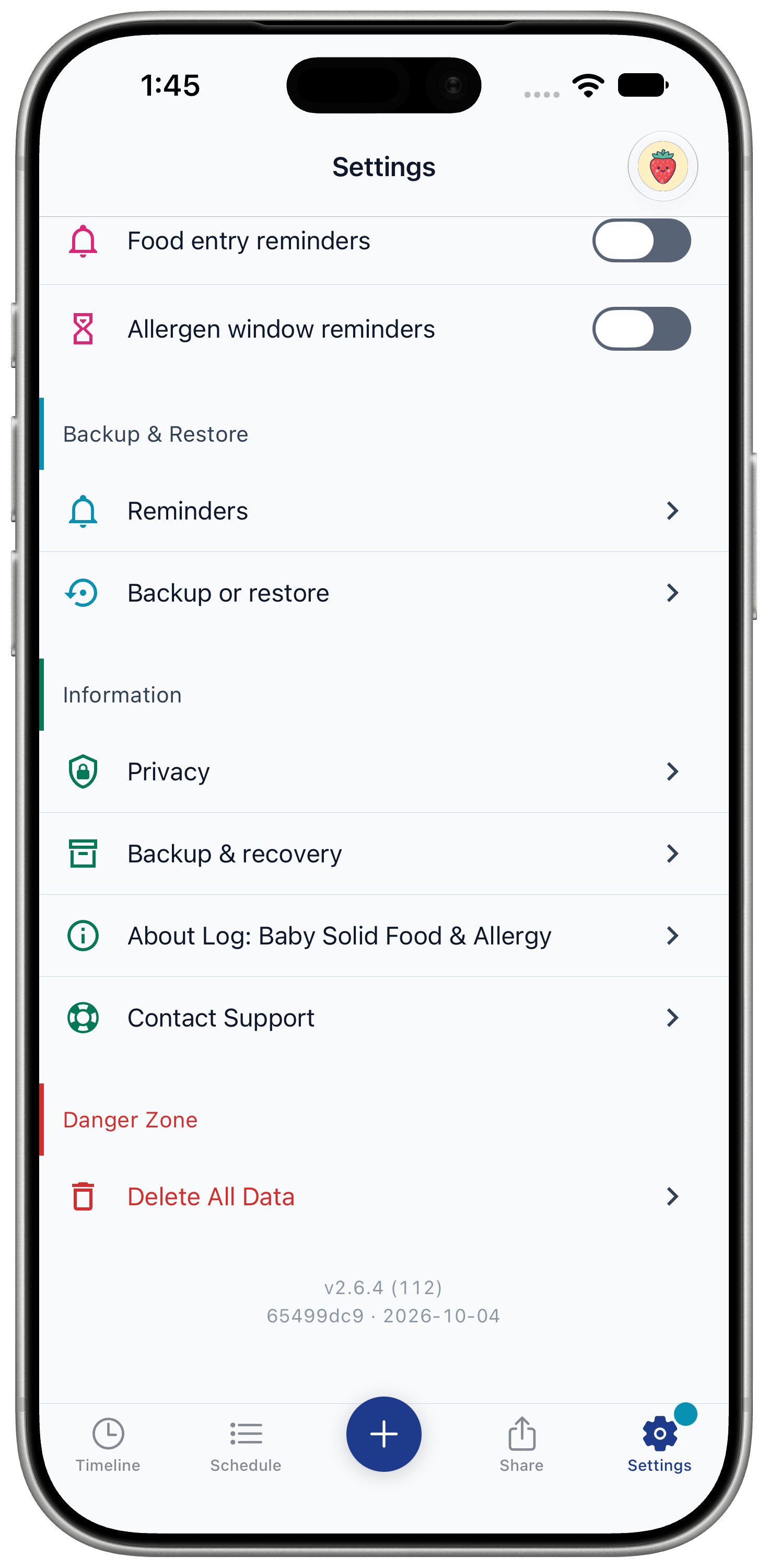
- Open Settings and, under "Backup & Restore", tap "Backup or restore".
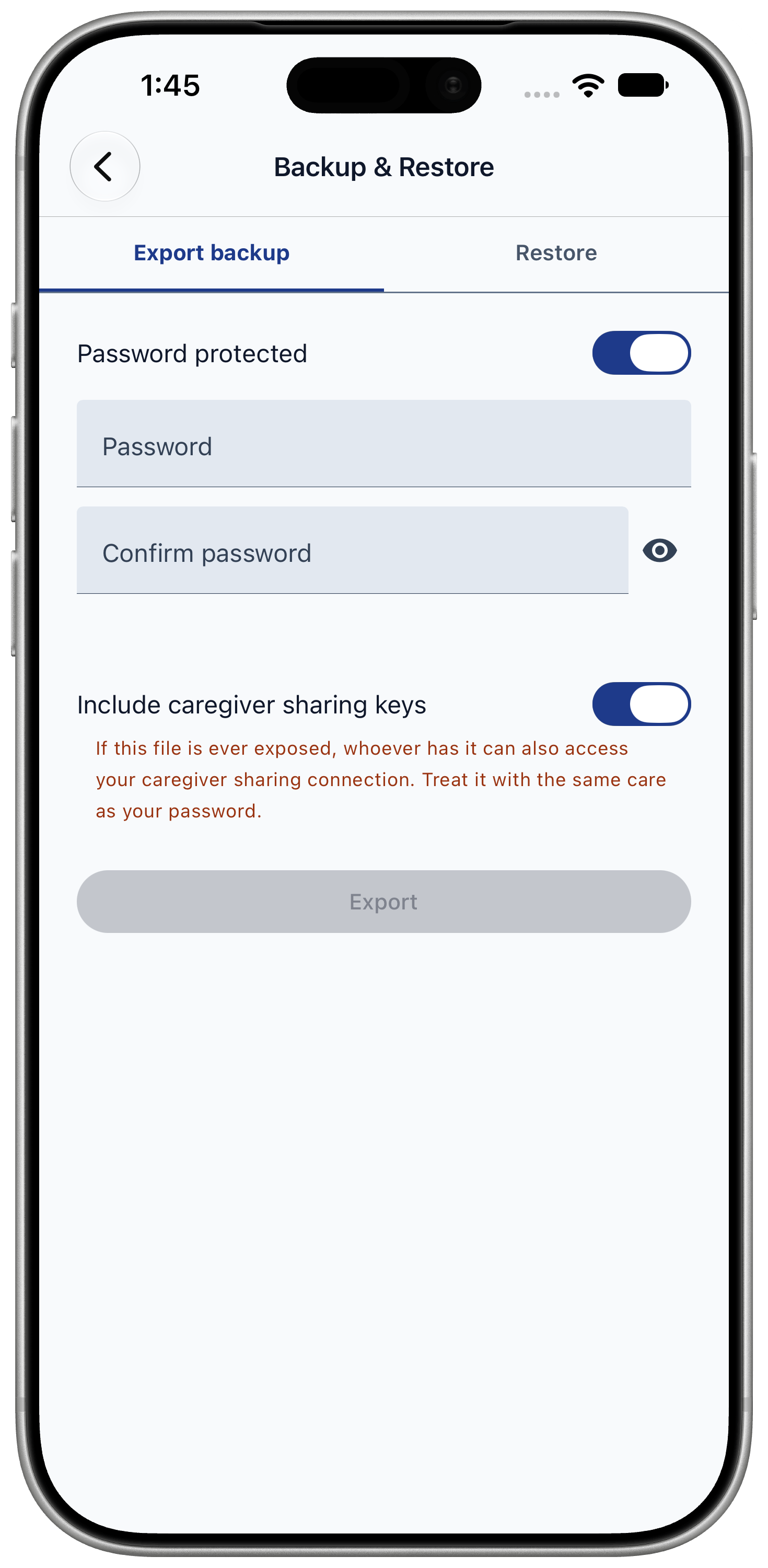
- On "Export backup", choose "Password protected" and enter a password you will remember.
- Optionally turn on "Include caregiver sharing keys" so you don't have to re-pair caregivers after restoring.
- Tap "Export".
- Choose where to save the file, such as Files, iCloud Drive or AirDrop to another device.
Set reminders in Settings, under "Backup & Restore", "Reminders": by time, by number of new entries, or both.
Restore on a new phone
Restoring replaces everything already in the app on that phone.
- Install the app. On "What brings you here?", choose "I have a backup file". On a phone already in use, go to Settings, "Backup or restore", "Restore".
- Tap "Choose a backup file" and pick your file.
- Enter the backup password and tap "Continue".
- Check what "This backup contains" and tap "Import this backup".
- Confirm "Erase and restore".